Calculator Vault Login and Forgotten Passcode
If you forgot your calculator vault code, try it once slowly on a fresh start, look for a “forgot” link on the login screen, and check for a cloud backup. Some apps offer no reset, so the contents may not be recoverable.
| Applies to | Calculator-style vault apps you own |
|---|---|
| Time needed | 5 to 10 minutes |
| Difficulty | Easy to moderate |
| Cost | Free |
| Needs internet | Only to restore from a cloud backup |
| Last verified | November 2026 |
Owner recovery
If you are locked out of your own vault
Being locked out of a calculator vault is frightening because the app was built to refuse strangers. It cannot tell you from a stranger unless you set up a way for it to. This page is for people who own the vault and want it back. It will not help anyone open a vault that is not theirs.
Step 1: check the obvious things
- Try your code on a fresh start, typing slowly. Calculator-style apps often need the code followed by an equals key, so check how you set it up.
- Make sure you are opening the right app. People who install two similar apps often confuse them.
- Check whether the app updated recently, since an update can show a new screen before the keypad.
Step 2: look for the recovery link
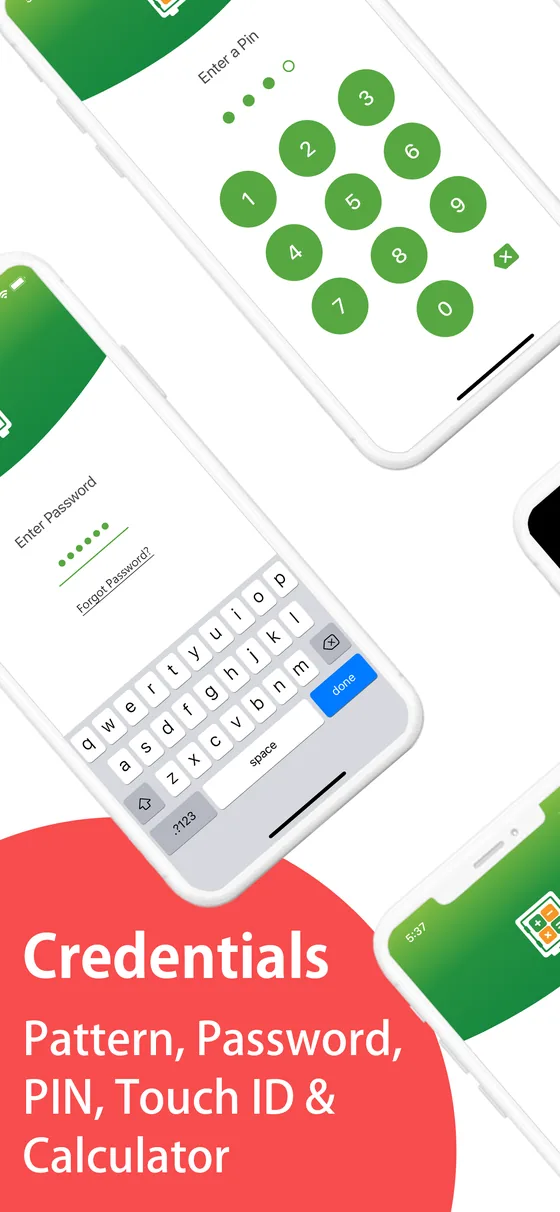
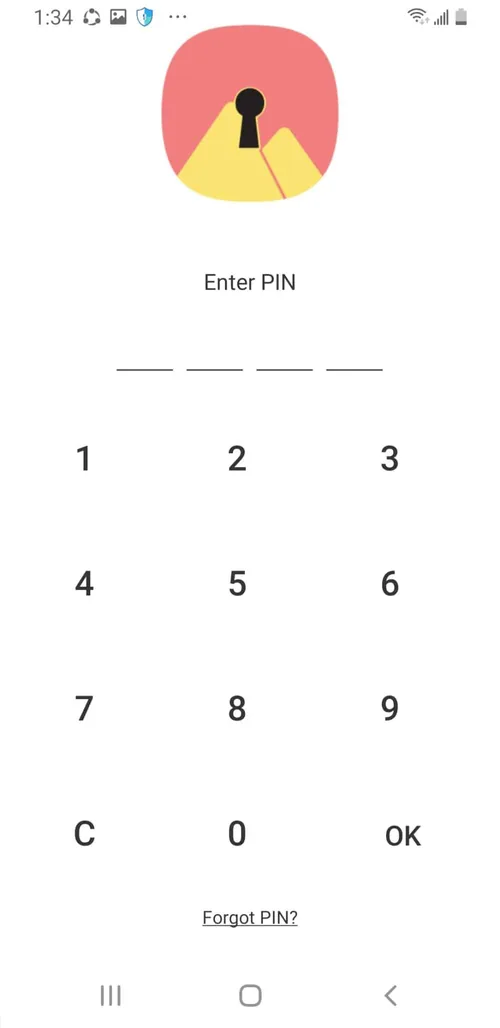
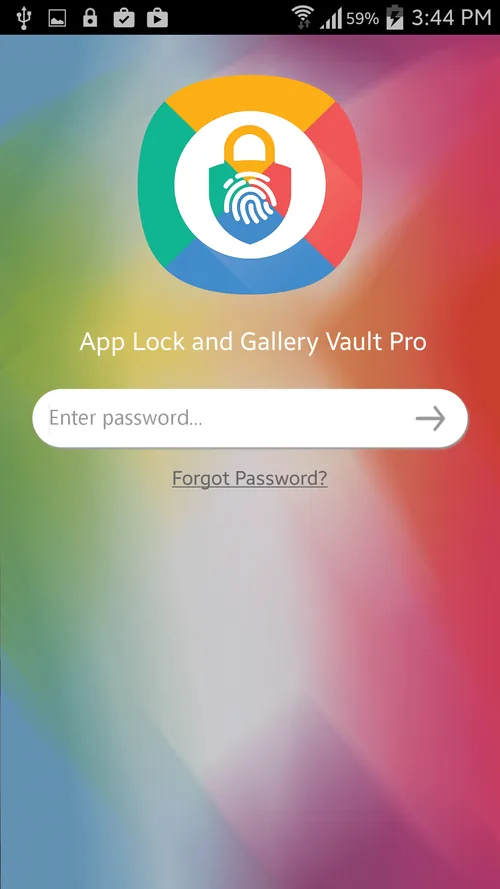
Look on the login and password-entry screens for a “forgot” link. Calculator# shows one on both, as the screens below show.
What to do if there is no recovery route
Some apps have no reset at all. In that case the honest options are limited: look for a backup in the cloud account you used, check whether the developer has a support page, and contact them with proof you own the device and the purchase. See the Calculator# product page for the developer’s own contact route. A backup made before you forgot the code is the most reliable fix, which is why our backup guide insists on one.
Ways to bypass a vault’s code on a phone that is not yours. If you are worried about someone else’s device, the parent guide covers the legitimate, conversation-first approach.
Prevent a lockout next time
If you are choosing a vault, see the comparison table on the main guide, and read the recommendation section for the app we suggest and its limits.
Common question
Questions about getting back into a locked vault
What should I do first if the calculator opens but my vault does not?
Stop and slow down. Type the code you believe is right once, carefully, on a fresh start of the app. Repeated fast attempts can trigger lockouts or fill an attempt log, and they do not help if the code is simply wrong. Then check whether the app offers a recovery option.
Is there a way to reset the code?
Only if the developer built one. Calculator#’s screens show a “forgot” link on its login and password-entry screens, which points to the recovery route that app provides. Many vault apps offer none, because a reset that works for you would work for anyone holding the phone.
Can I get in without the code if I forgot it?
We do not publish ways around a vault’s lock, and for a vault that is not yours, none exist that we would help with. For your own vault, use the app’s documented recovery and contact the developer.
Will reinstalling the app bring my photos back?
Not by itself. Reinstalling can wipe items stored only inside the app. Only reinstall if you have a backup in an account you control, and ideally test a restore first.
Which code should I choose so I do not forget it?
Pick six or more digits you can reconstruct from something personal that is not obvious to others, and note the hint, not the code, somewhere safe. Avoid birthdays and your phone passcode.